Render farm management for Blender.
One queue for every workstation and render node. Frames distributed, checked and delivered.
Windows, macOS, LinuxBlender 4.5 LTS to 5.3Pay once
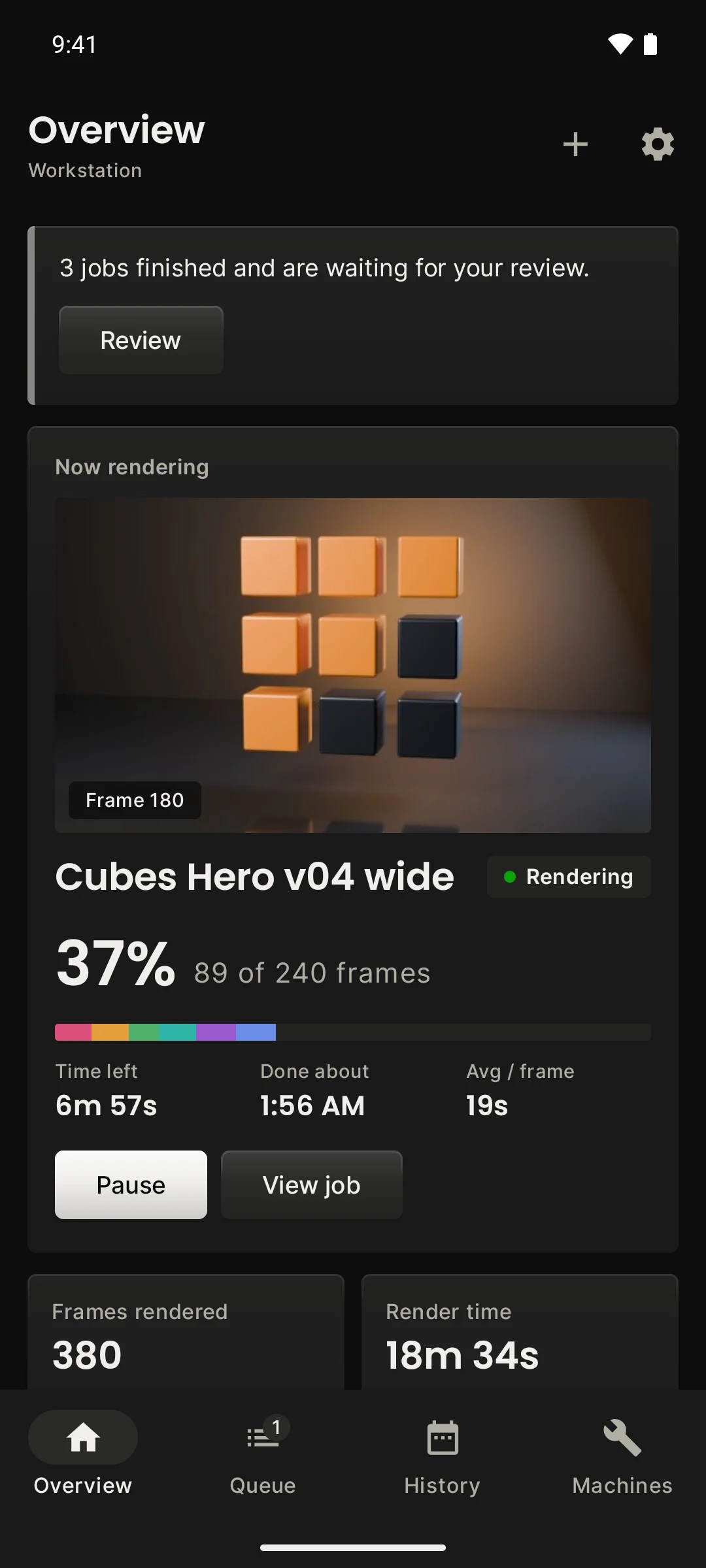
The add-on hands your scene to Render Wrangler on your workstation. Keep working while the farm renders.
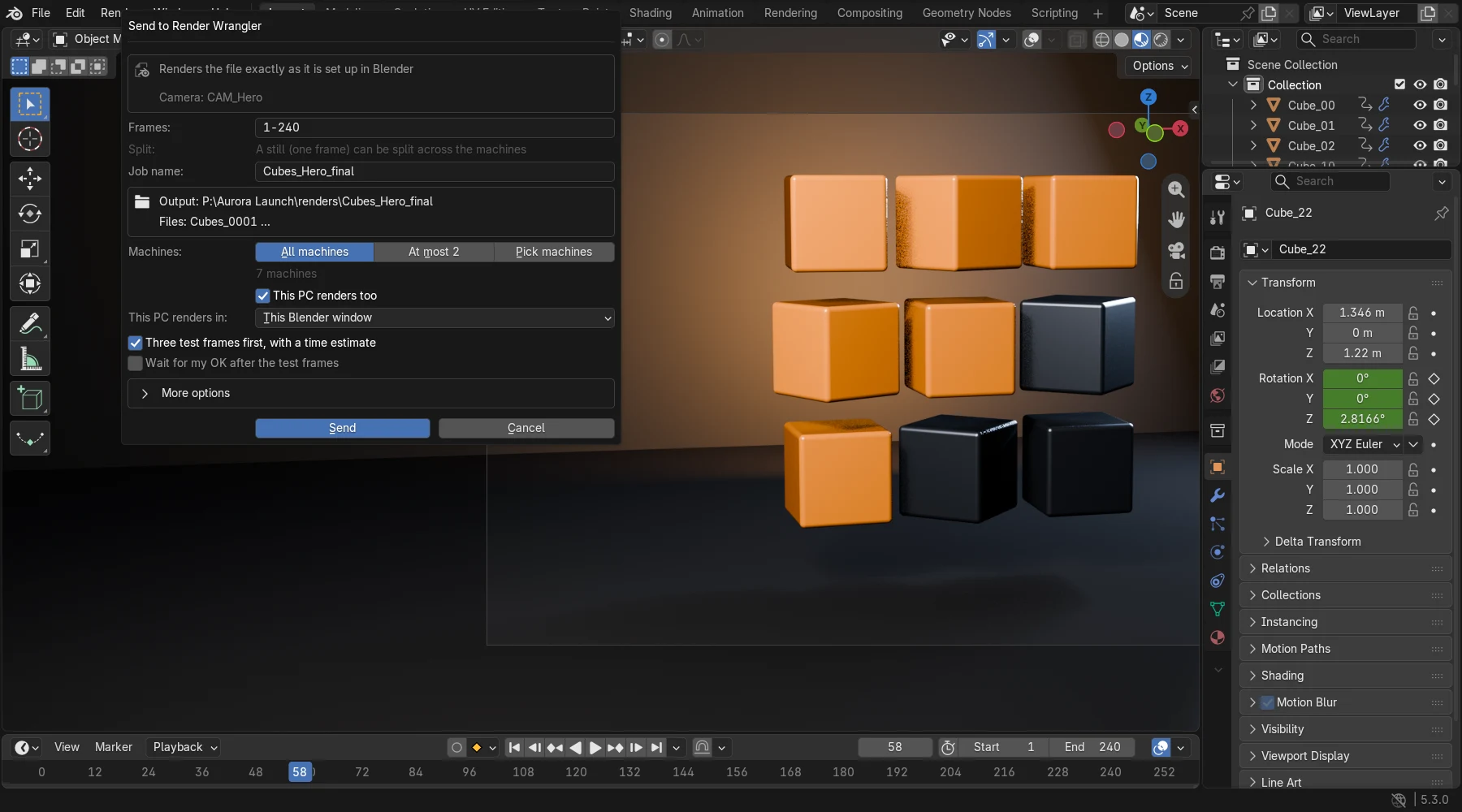
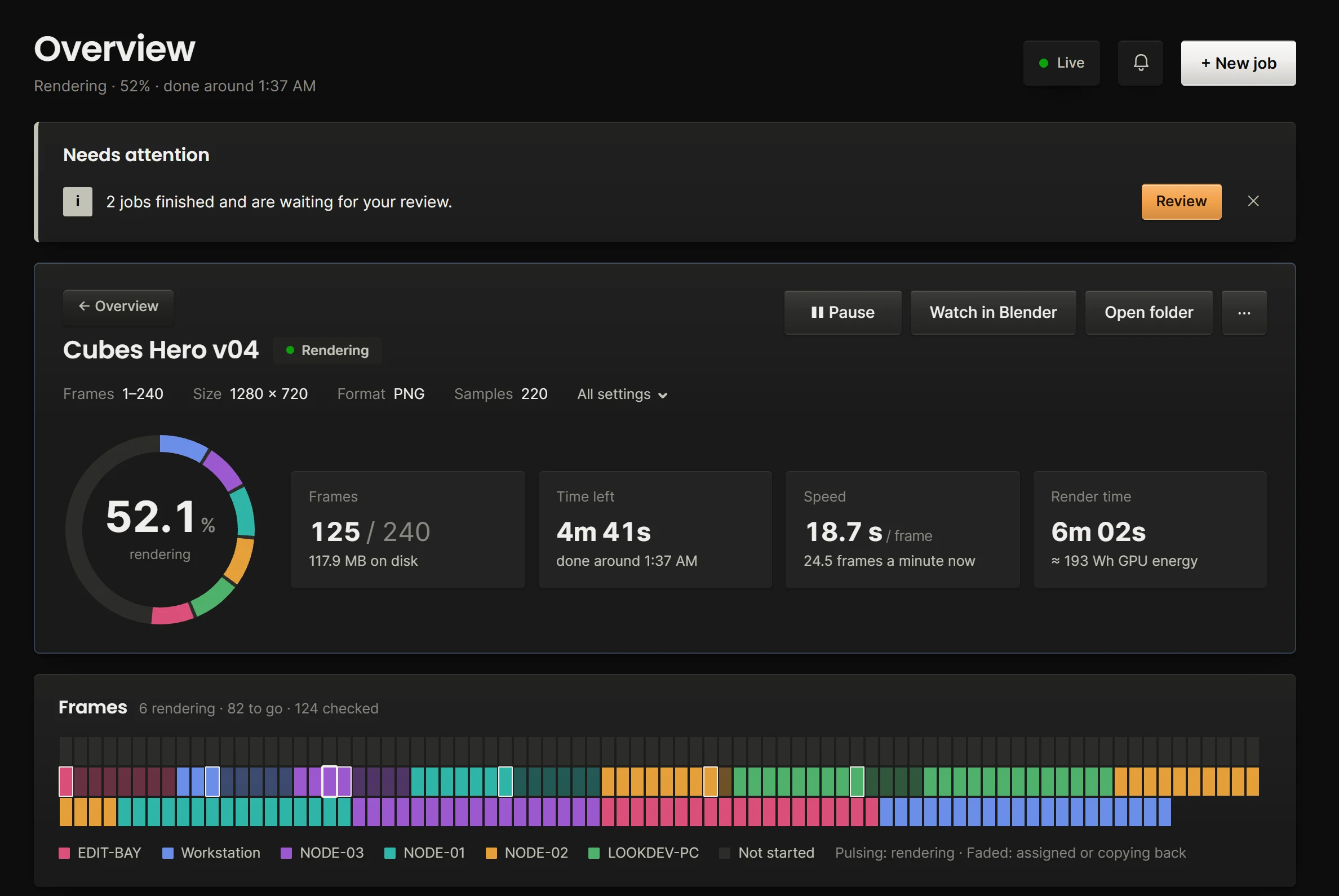
Render Wrangler gives each node its next frames, faster machines more. Finished frames come straight back to your workstation.
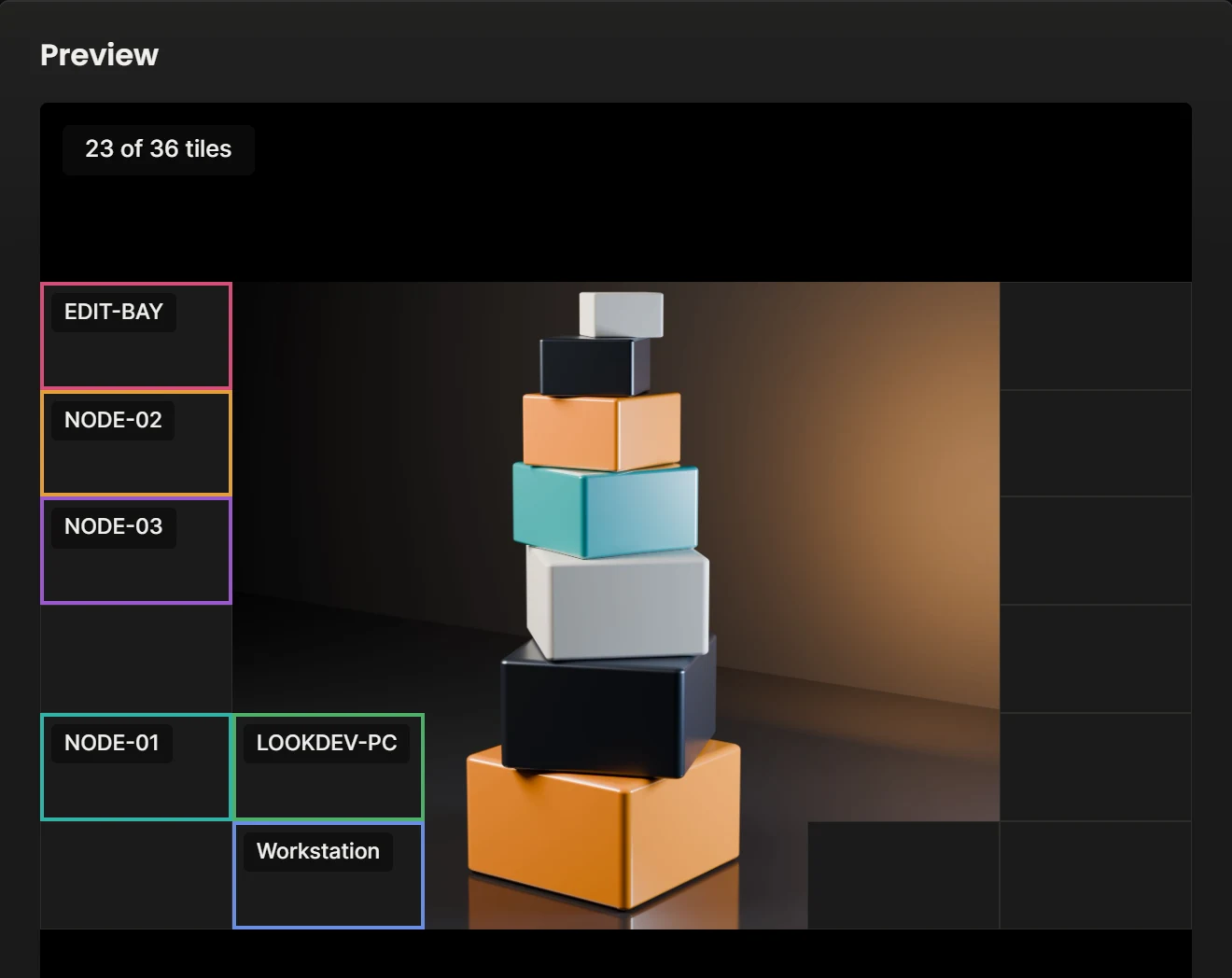
A still is a single frame, so normally one machine renders it alone. Render Wrangler cuts it into tiles, each node renders its share, and the tiles are stitched back into one picture.
Up to 8 × 8 tilesOr split by samples, no seams
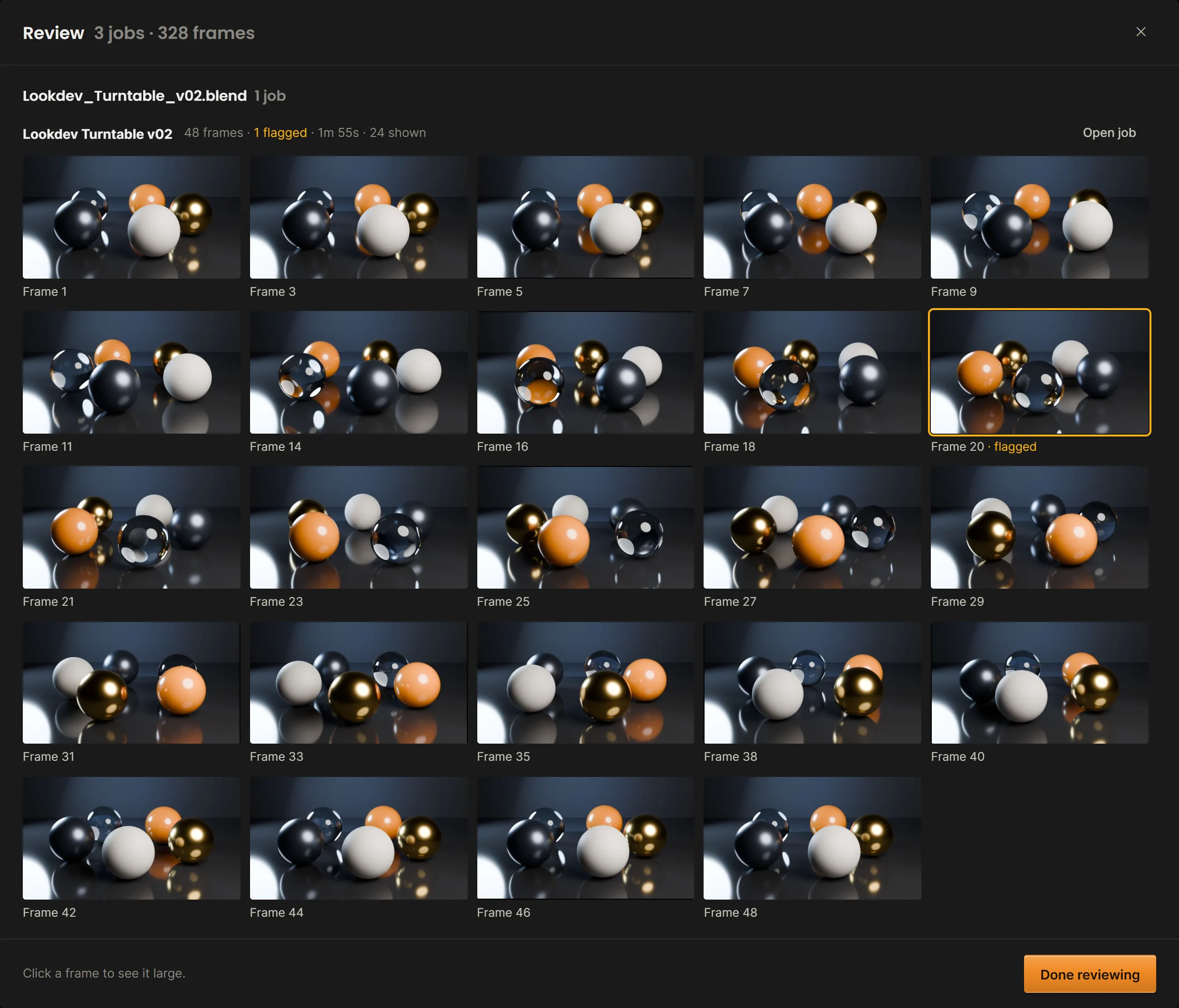
Every frame is checked as it lands. Black, missing or broken frames render again by themselves.
Progress on your lock screen. An alert when a job is done or a node drops out.
Android 8 or laterIncluded with every license
Start with a single render node and add more as the work grows. Same queue, same app, the same tools a big studio runs.
See pricing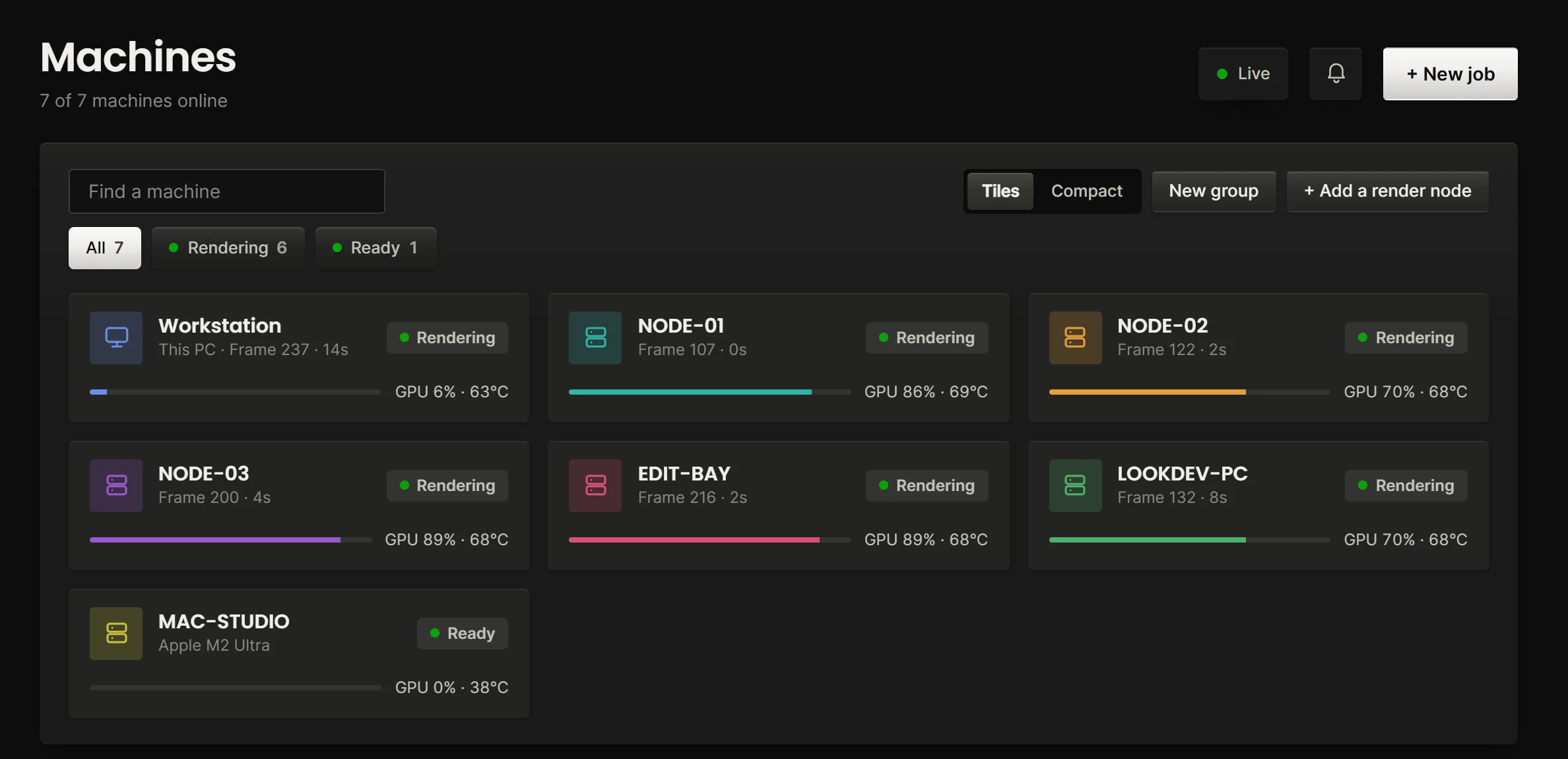
No server to set up. Render nodes find your workstation by themselves.
One setup file on your workstation. The Blender add-on comes with it.
Each one shows a code. Click Accept when it appears on your workstation.
Frames go out to every machine and come back to your folder.
Every feature in every tier, from your first render node to your hundredth.
Four machines in all.
About $13 a node.
About $9 a node.
No limit, now or later.
Your money back, for any reason. Refund policy
1 for $29, 5 for $119, 10 for $219.
Same key, next tier.
US dollars, plus tax where it applies. License agreement
No. You have 30 days after buying to try it on your own machines. Not right? You get your money back, for any reason.
Any other computer your workstation renders on. The workstation renders too and isn't counted.
No. You pay once, and updates are included.
Windows 10 or 11, macOS or Linux, and Blender 4.5 LTS or later. Nodes can be any mix. Windows is the most tested so far.
Never. They move only between your own computers. Render Wrangler contacts us to check its license and to look for updates. Privacy policy
To activate, once. After that it works up to 30 days without it.
Yes, from Settings > License, a few times a year.
No. Render Wrangler is an independent product by Vertix Labs.
Pay once. 30 days to change your mind.
Windows, macOS and LinuxYour download comes with your key